
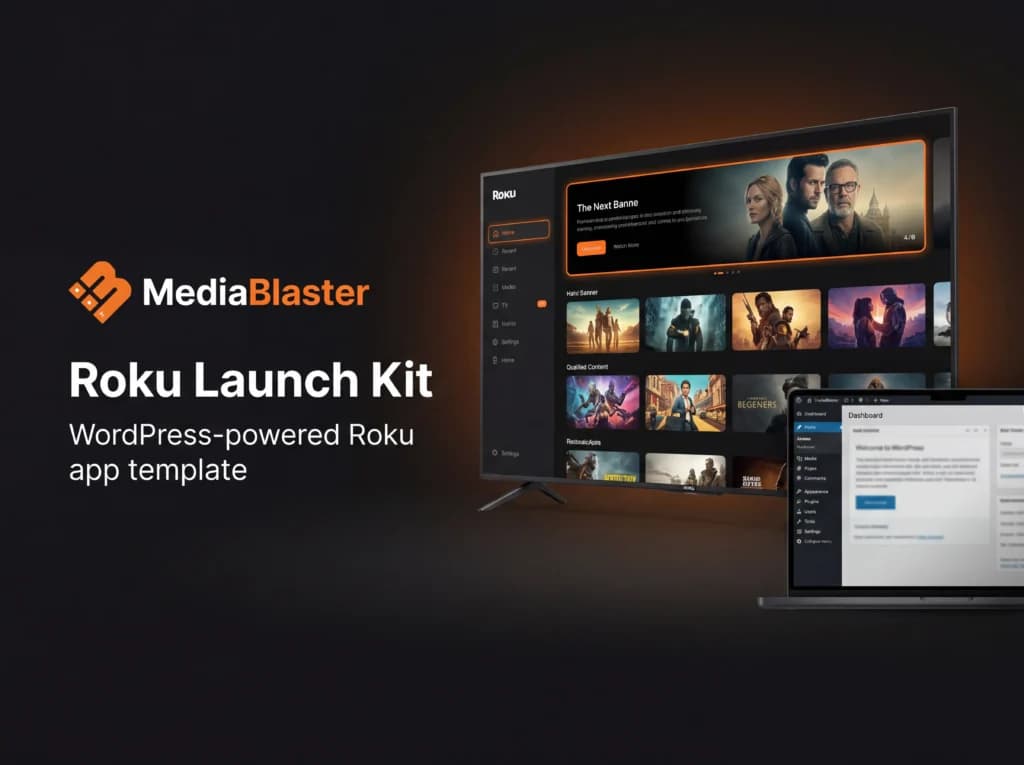
Launch a branded Roku video channel from your WordPress media library with a one-time purchase — app source, setup training, launch checklist, and AI-assisted customization workflow included.
At a glance
- One-time purchase — no monthly platform fee for the Launch Kit.
- Lifetime access — download from your customer dashboard after purchase.
- Build with WordPress — powered by the free MediaBlaster WordPress plugin.
- Own your channel — customize the app and publish through your own Roku developer account.
- Personal or Agency license — launch your own channel or build client channels with the Agency License.
- Developer-friendly template — includes source files, setup guidance, and AI-assisted customization workflow.
The MediaBlaster Roku Launch Kit gives you a working Roku VOD app template designed to connect with the MediaBlaster WordPress plugin.
Instead of starting from a blank BrightScript project, you get a ready-made Roku app foundation with modern streaming-style UI, video categories, movie and series support, continue watching, search, and app configuration powered from WordPress.
Use it to launch your own niche streaming channel, client video app, church/media channel, local programming app, education library, podcast video network, or OTT service.
What you can build with it
- A branded Roku VOD channel
- A niche streaming app
- A client OTT app
- A church or ministry video channel
- A local news or community programming app
- A course, training, or education video library
- A podcast or video network
- A reusable Roku channel framework for future launches
What’s included
- MediaBlaster Roku App Template Source — the complete Roku app source code for building your own branded VOD channel.
- WordPress-Powered Media Backend — designed to work with the MediaBlaster WordPress plugin so your videos, categories, posters, metadata, and app settings are managed from WordPress.
- Modern Streaming UI — a dark, cinematic Roku interface with featured content, content rows, category browsing, search, and continue watching.
- Setup Training — walkthrough guidance to help you configure WordPress, connect the Roku app, customize branding, and prepare for launch.
- AI Customization Skills — prompt packs and workflow files to help you customize the app faster using tools like Cursor, Claude Code, or other AI coding assistants.
- Launch Checklist — a practical checklist for preparing your Roku developer account, testing the app, organizing content, and getting ready to submit.
Choose the right license
Personal License is for creators, businesses, churches, educators, and media brands launching one Roku channel that they own.
Agency License is for freelancers, consultants, and agencies building Roku channels for clients. If you plan to sell Roku channel setup or OTT app services, choose Agency.
How it works
- Install the MediaBlaster WordPress plugin — set up your video library, categories, artwork, and app configuration.
- Download the Roku Launch Kit — get the Roku app source code and supporting launch files from your customer dashboard.
- Connect the app to WordPress — point the Roku app to your MediaBlaster-powered backend.
- Customize your channel — update the app name, logo, colors, artwork, navigation, and content sections.
- Test and submit — test on a Roku device, package the app, and submit it through your Roku developer account.
What happens after purchase
- Create or log into your MediaBlaster account during checkout.
- Complete your one-time payment securely by card.
- Access your customer dashboard after payment is confirmed.
- Download the Roku Launch Kit files from your dashboard.
- Follow the setup workflow to connect the Roku app to your WordPress-powered MediaBlaster library.
Why this kit matters
Most custom Roku app projects start with expensive development, long timelines, and a lot of technical uncertainty.
The MediaBlaster Roku Launch Kit gives you a working app foundation for a one-time price, so you can focus on your brand, your content, and your launch instead of starting from a blank BrightScript project.
You are not paying a monthly platform fee for this Launch Kit. You buy it once, download the files, connect the app to your MediaBlaster-powered WordPress site, and use it as the foundation for your Roku channel.
For agencies and freelancers, the Agency License turns the Launch Kit into a reusable framework for building Roku channels for clients.
Important notes
- This is a downloadable Roku app template and launch kit, not a hosted SaaS platform.
- The Launch Kit is a one-time purchase. It does not include done-for-you setup, custom development, hosting, or Roku submission services.
- You will need your own WordPress site, media hosting, MediaBlaster WordPress plugin setup, Roku developer account, and Roku device for testing.
- The initial Launch Kit is focused on Roku VOD. Subscriptions, live TV, EPG, and additional platform kits may be released separately.
- Agency use requires the Agency License.