MediaBlaster
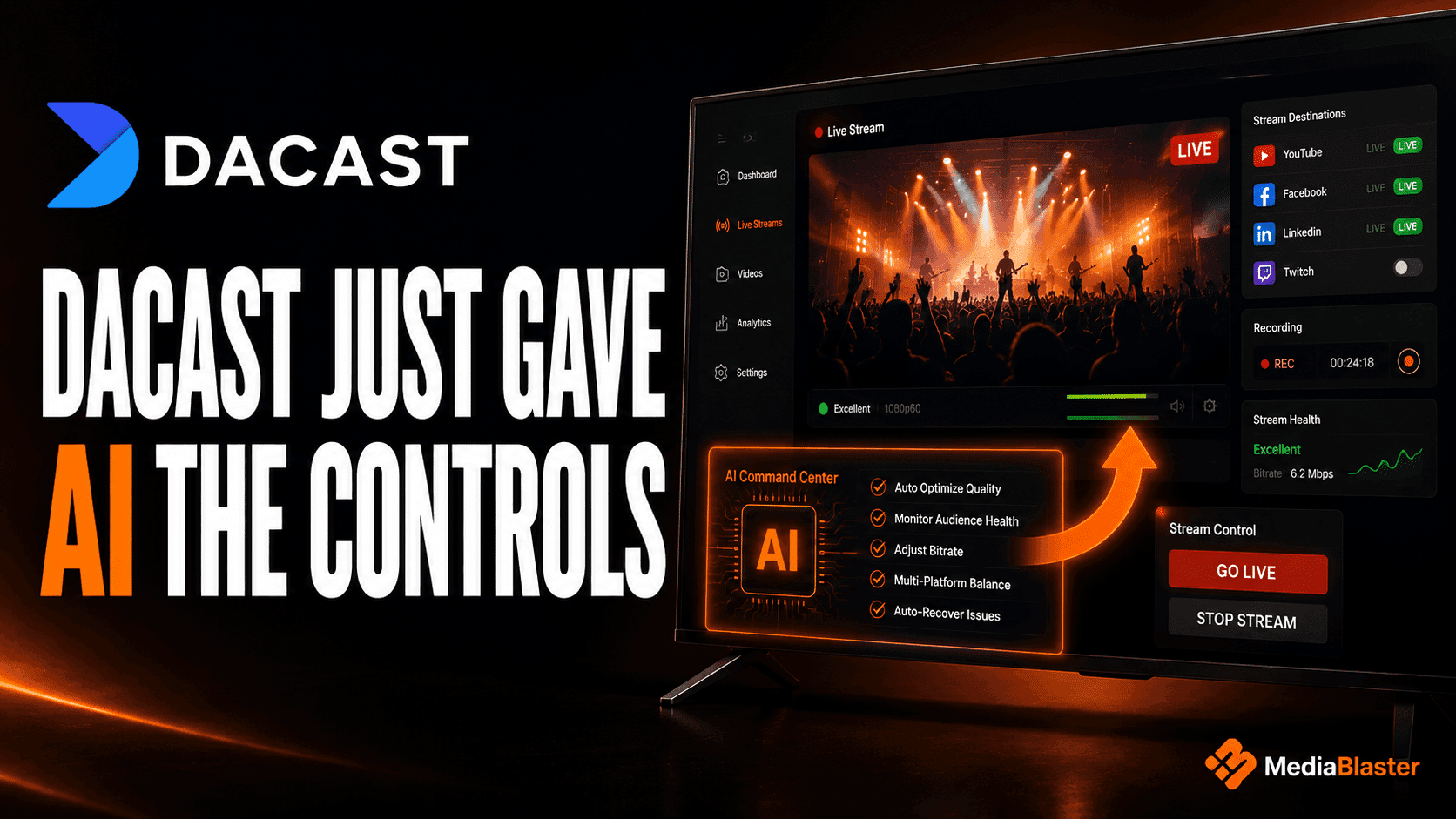
On August 14, 2026, Dacast introduced an MCP server that connects AI clients such as ChatGPT, Claude, and Cursor to its video platform. Instead of opening a dashboard and manually configuring every setting, an operator can use natural-language prompts to create channels, manage playlists, update images, configure simulcasting, activate streams, and control recording or DVR.
That is a real change—not another chatbot added to a dashboard.
It also reveals where streaming software is heading: AI is becoming an operating layer above video infrastructure. But it is important to understand what that layer controls and what it does not.
Dacast’s MCP server can operate parts of the streaming infrastructure. It does not, based on the capabilities Dacast has announced, build a branded Roku application, organize a WordPress-powered catalog, design the viewer experience, or prepare an app for Roku submission.
Those are different jobs.
The useful question for a video publisher is therefore not, “Will AI replace my streaming platform?” It is:
Which parts of my video operation can an AI assistant safely control, and which parts still require a publishing system, an app, and human approval?
The short version
- Dacast’s new MCP server gives compatible AI clients structured access to Dacast operations.
- Its announced capabilities focus primarily on live channels, playlists, images, simulcasting, recording, DVR, activation, and auditability.
- MCP does not make the AI model itself a video host, encoder, content-management system, or Roku app builder.
- Dacast is addressing the stream operations layer: preparing, distributing, recording, and monitoring video.
- MediaBlaster addresses a different layer: using WordPress to organize an app-ready media catalog and connect it to an editable Roku app foundation.
- MediaBlaster’s current AI customization prompts help users work with the included Roku source code, but MediaBlaster does not currently offer an MCP server.
- A future MediaBlaster MCP layer could let an AI assistant import content, edit metadata, organize shows, configure branding, manage schedules, and run Roku-readiness checks through prompts.
What did Dacast actually launch?
Dacast’s August 14 announcement describes a remote Model Context Protocol server that connects compatible AI clients to Dacast’s APIs.
MCP, or Model Context Protocol, gives an AI application a structured way to discover and use tools. The model is not clicking buttons or improvising undocumented API calls. The MCP server describes the actions available, the parameters each action accepts, and the structured results it returns.
In practical terms, a user could give an instruction such as:
Create a live channel for our monthly town hall, enable recording and DVR, add our normal simulcast destinations, and return the ingest details.
The AI client interprets the request, selects the appropriate Dacast tools, supplies the required parameters, and reports the results.
Dacast says its day-one workflows include:
- Creating, listing, retrieving, and updating live streams
- Activating streams
- Enabling or disabling recording and DVR
- Listing recordings
- Adding, starting, stopping, and checking simulcast destinations
- Creating and updating playlists
- Adding content to playlists and changing its order
- Uploading thumbnails and splash images
- Reviewing action logs
The Dacast setup guide groups its documented routes under channels, playlists, images, and simulcasting. Dacast has also published an Apache-licensed MCP server repository on GitHub, where the visible implementation is organized around those same four domains.
One important limitation: verify the tools, not just the headline
Dacast’s support page broadly says users can upload and manage content, review analytics, and access nearly all of its broadcasting infrastructure. Its more concrete tool list and public repository are narrower: channels, playlists, images, and simulcast destinations.
That does not mean the broader claims are necessarily wrong. The hosted MCP service can evolve independently of the public repository, and account-level access may vary. It does mean buyers should verify the tools currently exposed to their account before designing an automated workflow around them.
Ask three questions during evaluation:
- Which tools are available in the hosted MCP server today?
- Which actions are read-only, reversible, or capable of changing a live production?
- Which capabilities are documented now, and which are roadmap items?
This distinction matters whenever an AI assistant is allowed to operate production infrastructure. A feature described in a product overview is not the same as a tool your connected client can discover and call today.
MCP is an interface to the system—not the system itself
Natural-language control can make a complex platform feel radically simpler. That simplicity can also create a misleading impression that the AI is doing everything.
It is not.
The responsibilities still look roughly like this:
| Layer | What it is responsible for | Example |
|---|---|---|
| AI client | Understands the request and chooses tools | ChatGPT, Claude, or Cursor |
| MCP server | Exposes approved actions in a structured format | Create a channel or update a playlist |
| Streaming platform | Ingests, processes, distributes, and records video | Dacast |
| Content backend | Organizes titles, descriptions, artwork, categories, and relationships | WordPress with MediaBlaster |
| Viewer application | Presents the catalog on the television | A branded Roku app |
Dacast’s announcement primarily advances the first three layers. A Roku publisher still needs the last two if the goal is to deliver a branded TV app rather than only operate a stream.
The overlooked distinction: stream operations versus product operations
The streaming industry often puts every task under the word “OTT,” even though two very different control planes are involved.
1. The stream operations control plane
This is where a team manages the movement and availability of video:
- Create a live channel
- Get encoder credentials
- Start or stop a broadcast
- Enable recording and DVR
- Send the stream to multiple destinations
- Package recordings into playlists
- Monitor status and preserve an audit trail
This is the layer Dacast’s MCP server is designed to control.
2. The publishing and application control plane
This is where a publisher shapes the product the audience sees:
- Create movies, shows, seasons, and episodes
- Write and correct viewer-facing metadata
- Assign posters, hero art, and thumbnails
- Organize categories and browsing rows
- Choose featured content
- Configure app branding and navigation
- Validate playback URLs and required artwork
- Check deep-link and Direct-to-Play readiness
- Test the Roku app and prepare it for submission
This is the layer a WordPress-to-Roku system such as MediaBlaster is positioned to serve.
The distinction is more than technical. Stream operations answer, “Can we deliver this video?” Product operations answer, “Can viewers find it, understand it, open it, and watch it in our branded app?”
What Dacast MCP controls—and what it does not claim to control
Based on Dacast’s announcement and current documentation, the boundary looks like this:
| Task | Dacast MCP | MediaBlaster today |
|---|---|---|
| Create or update a Dacast live channel | Yes | No |
| Return stream ingest details | Yes | No |
| Configure Dacast recording or DVR | Yes | No |
| Manage Dacast simulcast destinations | Yes | No |
| Manage Dacast playlists and images | Yes | No |
| Organize movies, series, and episodes in WordPress | No announced capability | Yes |
| Expose an app-ready WordPress content feed | No announced capability | Yes |
| Provide editable Roku app source code | No | Yes, through the Roku Launch Kit |
| Help customize the Roku app with AI coding workflows | No announced capability | Yes, through included prompts and source files |
| Operate MediaBlaster through an MCP server | No | Not currently |
| Publish or guarantee approval of a Roku app | No | No |
This is why the two products should not automatically be treated as substitutes. A video host and a Roku publishing system can occupy different parts of the same workflow.
What MediaBlaster’s “AI-assisted” workflow means today
The MediaBlaster Roku Launch Kit includes a WordPress-powered media backend, editable Roku app source code, setup training, a launch checklist, and AI customization prompts.
Those prompts are designed to help a user work with the Roku source more efficiently—for example, when changing branding, copy, visual details, or configuration without asking an AI coding assistant to rebuild working application logic from scratch.
That is useful, but it is not the same thing as MCP.
An AI customization guide tells an assistant how to help a person modify source code. An MCP server gives the assistant live, structured tools for reading or changing data inside an operating system.
The difference can be summarized simply:
- AI guidance: “Here is how to make this change safely.”
- MCP access: “Here is an approved tool that can make the change and return the result.”
Dacast’s launch raises the standard for any streaming product that describes itself as AI-assisted. Prompt packs and documentation still have value, especially when the customer owns the source code, but the stronger long-term promise is outcome-based: use AI to complete real publishing work.
The logical next step: an MCP layer for WordPress-to-Roku operations
MediaBlaster does not currently offer the following functionality. This is a proposed product direction, not an announced feature.
A useful MediaBlaster MCP server should not attempt to copy Dacast’s infrastructure controls. It should focus on the application and publishing layer where MediaBlaster has more context.
Content ingestion and metadata
Potential tools could:
- Import eligible videos or register external playback sources
- Create or update movies, series, seasons, episodes, specials, and podcasts
- Generate draft descriptions while preserving the publisher’s ability to review them
- Normalize titles, dates, categories, and content ratings
- Detect duplicate or incomplete records before publication
Example prompt:
Import these ten program records as drafts, match them to the correct series, and show me any missing descriptions or artwork before changing the live catalog.
Catalog organization
Potential tools could:
- Create categories and collections
- Move episodes into the correct season
- Build featured-content and browsing rows
- Identify orphaned episodes or empty categories
- Apply consistent naming rules across a large library
Example prompt:
Find every episode that is missing a season, recommend the most likely match, and wait for approval before updating anything.
App configuration and branding
Potential tools could expose safe configuration fields for:
- App name and publisher information
- Brand colors and logos
- Navigation labels
- Featured rows and content order
- API endpoints and environment-specific settings
Source-code changes would still deserve a separate review and testing workflow. Not every customization should become a live write operation.
Roku-readiness validation
This may be the highest-value opportunity because it converts specialist knowledge into a repeatable preflight check.
A MediaBlaster MCP layer could inspect the WordPress catalog and report:
- Missing or incorrectly shaped artwork
- Empty descriptions or invalid metadata
- Unreachable or incompatible playback URLs
- Broken movie, series, season, or episode relationships
- Missing identifiers required for deep linking
- Content that cannot satisfy a Direct-to-Play request
- App configuration that still contains placeholders
- Items that should be tested on a physical Roku device
Example prompt:
Run a Roku-readiness audit on the entire catalog. Do not change anything. Group the failures by severity and give me the shortest path to a testable submission build.
That is a more defensible AI promise than simply saying “AI included.” The outcome is specific: fewer catalog errors, less manual inspection, and a clearer path from WordPress content to a Roku-ready build.
What a combined AI-assisted workflow could look like
Consider a local broadcaster running a weekly public meeting.
Before the event
The operator asks the Dacast MCP server to create the live stream, apply the standard recording and DVR settings, configure the usual simulcast destinations, and return the ingest information.
During the event
The team uses Dacast’s streaming infrastructure to deliver and record the program. Critical live actions remain governed by permissions, confirmations, and an audit trail.
After the event
The recording becomes a catalog item. Today, the publisher can add it to WordPress and organize it with MediaBlaster. With a future MediaBlaster MCP layer, an assistant could create the episode as a draft, attach approved artwork, place it in the correct series, validate its playback source, and prepare it for review.
In the Roku app
The branded Roku application reads the updated MediaBlaster feed from WordPress and presents the recording to viewers in the appropriate row, category, show, or season.
In that architecture, Dacast operates the stream and MediaBlaster operates the app-ready catalog. The AI client becomes the interface across both systems, but each platform remains responsible for its own domain.
AI control makes guardrails more important, not less
The fastest workflow is not automatically the safest workflow. A natural-language instruction can hide several consequential actions inside one sentence.
Dacast says content-deletion methods are intentionally unavailable through its MCP integration, and its announcement emphasizes logs and traceability. It also warns users that the MCP connection URL contains an API token and should be treated as a secret.
Any MCP layer for a publishing system should adopt similarly explicit boundaries:
- Default to read-only inspection and draft creation
- Require confirmation for publication or production changes
- Keep destructive actions unavailable or tightly restricted
- Separate staging and production environments
- Use least-privilege credentials
- Record what changed, when, and at whose request
- Redact tokens and private playback information from logs
- Provide a dry-run mode that shows proposed changes first
- Preserve a rollback path for metadata and configuration changes
AI removes interface friction. It does not remove operational responsibility.
What this launch means for video publishers
Dacast’s MCP server is important because it turns natural language into authenticated streaming operations. It is evidence that AI interfaces are moving beyond recommendations and into real execution.
The larger opportunity is not to put the letters “AI” on every streaming product. It is to divide the workflow into well-defined tools and let the assistant coordinate them safely.
For live-video teams, Dacast is building a control surface for streaming infrastructure.
For WordPress and Roku publishers, the next valuable control surface is different: content ingestion, catalog structure, app configuration, scheduling, and Roku-readiness validation.
Controlling the stream is valuable. Controlling the product viewers actually open on their televisions is valuable too. The strongest AI-assisted video workflow will eventually connect both.
Build the Roku side of your video operation
If your immediate goal is to automate Dacast live-streaming operations, review Dacast’s current MCP tools and confirm that the actions you need are exposed in your account.
If your goal is to turn a WordPress media library into a branded Roku channel that you can customize and publish through your own developer account, explore the MediaBlaster Roku Launch Kit.
The Launch Kit is a one-time purchase with editable Roku app source, a WordPress-powered content backend, setup training, launch resources, and AI customization prompts. It has no mandatory monthly platform fee of its own, although you will still need the WordPress hosting, video delivery, accounts, and services required by your project.