MediaBlaster
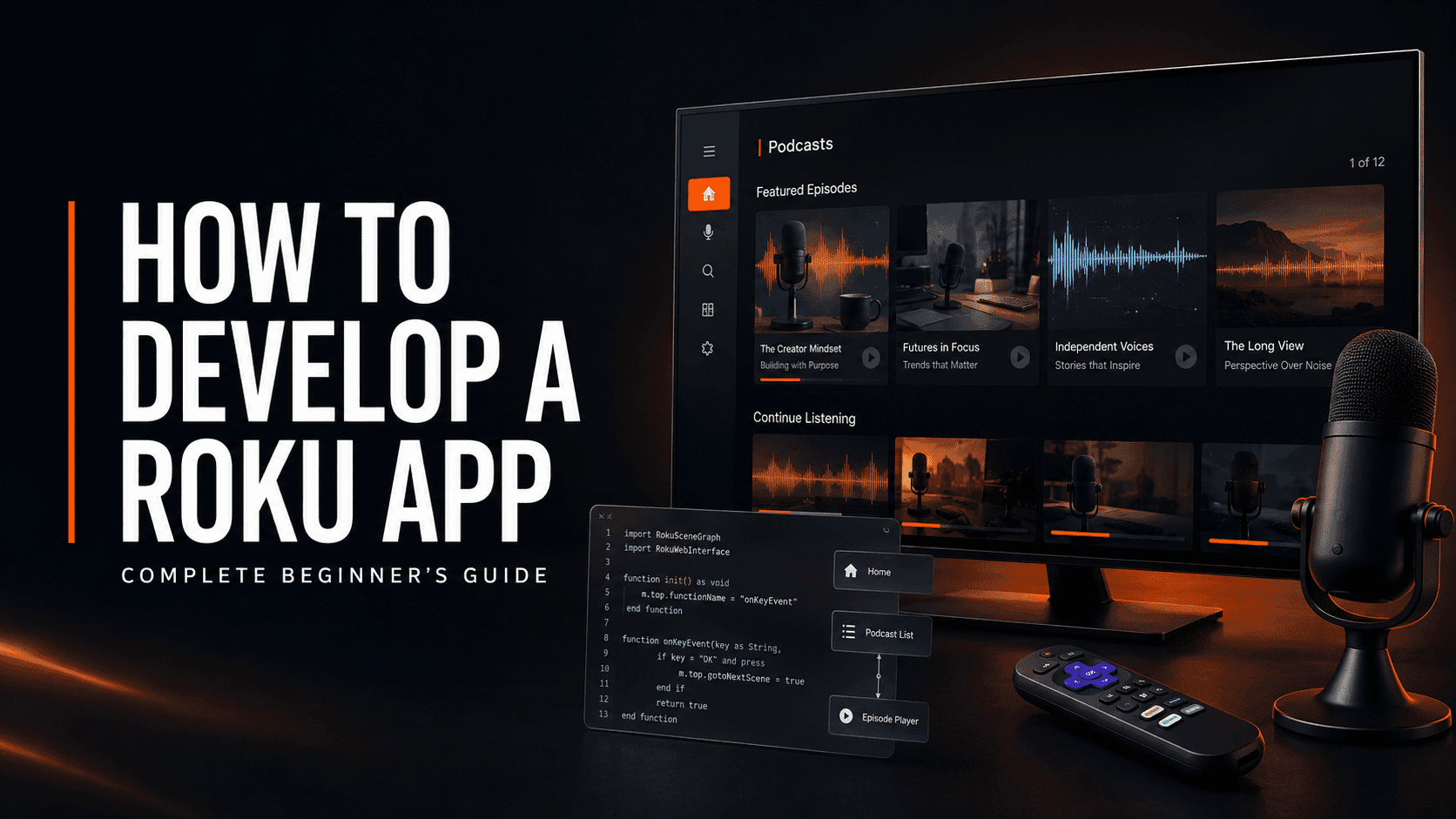
If you are a podcaster looking for a new place to grow your audience, Roku is worth considering.
Spotify, Apple Podcasts and YouTube are powerful platforms, but they are also extremely crowded. A Roku app gives your show its own branded destination on the largest screen in the house. It can help new listeners and viewers discover your content, give existing fans another way to watch, and create additional revenue opportunities through advertising, subscriptions, sponsorships or donations.
That doesn’t mean every podcaster should spend tens of thousands of dollars developing a custom app.
My advice is the opposite: start small, launch something professional and affordable, then give it a year to prove that it can attract an audience. If it gains traction, you can invest in more features later.
I have been building Roku apps since 2013. I started when BrightScript was the main thing I needed to learn, then had to adapt to Roku SceneGraph and a completely different way of designing software for a television. My early apps were rejected several times, and we had to redesign large parts of our codebase before Roku would allow us to publish.
This guide will help you avoid many of those mistakes.
The short answer: What does it take to develop a Roku app?
A Roku app needs five main pieces:
- Your content – podcast episodes, videos, artwork and metadata.
- A media host – somewhere that can reliably deliver your audio or video files.
- A backend – a system that organizes your content and makes it available to the app through an API or feed.
- The Roku app – the interface viewers install and control with their Roku remote.
- Certification and ongoing maintenance – testing the app, submitting it to Roku and keeping it compatible with future requirements.
The Roku developer program itself is free. Roku says there is no cost to enroll, develop an app or publish it to the Roku Streaming Store. The expenses come from the method you use to build the app, your website and media hosting, artwork, testing and future maintenance. Roku development overview
Why would a podcaster want a Roku app?
A Roku app should not replace your existing podcast distribution. It should extend it.
Your RSS feed should still go to Apple Podcasts, Spotify and the other major podcast platforms. Your video episodes can still be published on YouTube. The Roku app gives you an additional distribution channel where your show is not competing with millions of podcasts in the same way.
The main benefits are:
- A less crowded discovery channel. Your show has another opportunity to be found by people browsing for television content.
- A branded experience. Instead of sending everyone into somebody else’s app, you can create a destination based around your own show and brand.
- A better home for video podcasts. Long-form interviews and studio shows work naturally on a television.
- Additional revenue options. You can use audio ads, video ads, sponsors, premium content, subscriptions or donations.
- More control. Your podcast website and content backend remain the source of truth instead of locking the entire business into one hosted OTT service.
The opportunity is strongest for podcasters who already publish video or are willing to start. Audio-only content can work on Roku, but video generally makes better use of the television screen and gives you a larger potential audience.
How a Roku podcast app actually works
Beginners often assume that all their videos and podcast episodes are stored inside the Roku app. That is not how a well-built streaming app should work.
The Roku package contains the interface and the code needed to run the app. When someone opens it, the app connects to your backend, retrieves your latest shows and episodes, then streams the selected media from your hosting provider.
For a podcaster using WordPress, the structure can look like this:
| Layer | Purpose | Example |
|---|---|---|
| Content management | Organizes shows, episodes, descriptions, artwork and categories | WordPress with MediaBlaster |
| Audio hosting | Stores and delivers audio episodes | Spreaker |
| Video hosting | Encodes and streams video efficiently | Bunny Stream or Vimeo |
| Content API | Sends app-ready episode data to Roku | MediaBlaster REST API |
| Roku app | Displays the catalog and plays the selected episode | BrightScript and SceneGraph app |
This separation matters. It lets you publish a new episode from WordPress without rebuilding and resubmitting the Roku app every time.
What content do you need before you begin?
You do not need hundreds of episodes to start, but you should have enough content to make the app feel intentional rather than empty.
At minimum, prepare:
- Your podcast name and description
- Show logo and channel artwork
- Several published episodes
- An episode title, description and release date for every item
- A direct playable audio or video source
- Episode thumbnails or artwork
- Categories or seasons if they help organize the show
- Your website URL, support contact and privacy policy
For a stronger television experience, also prepare landscape hero images and consistent episode thumbnails. Artwork that looks good in a podcast directory is not always enough for a ten-foot interface. Viewers need to recognize titles, images and focus states from across the room.
If you have audio-only episodes, the app can display the episode artwork, title, description, duration and playback progress while the audio plays. If you also have video versions, make those the primary Roku experience and keep audio episodes available where they still add value.
For hosting, I normally recommend:
- Spreaker for audio. It is designed for podcast hosting and can dynamically insert programmatic ads into eligible shows and episodes. Spreaker Ad Exchange
- Bunny Stream for affordable video hosting. It uses usage-based pricing, with a $1 monthly minimum and storage and delivery billed separately. Bunny Stream pricing
- Vimeo when simplicity is more important than the lowest possible cost. Current self-service plans start at $12 per month when billed annually, with higher tiers for additional features. Vimeo pricing
Do not try to stream large video files directly from an ordinary shared web-hosting account. Your WordPress host should serve the content data; a proper video platform or CDN should serve the video.
Three ways to build your first Roku app
There is no single correct development path. The right choice depends on your budget, technical ability and how customized the app needs to be.
Option 1: Custom Roku development
A custom Roku app gives you the most control. A developer can create a completely original interface, account system, advertising setup and content experience.
The tradeoff is cost and complexity. In my experience, professional custom Roku development can easily cost $10,000 to $40,000, depending on the features, backend work, design and certification support.
This is normally a poor place for a beginner to start unless the show already has a large audience, a proven business model and requirements that cannot be met with an existing platform or template.
Option 2: A hosted Roku app builder
Platforms such as Instant TV Channel and Muvi can reduce the amount of coding required.
Instant TV Channel currently offers plans ranging from free to $49.95 per month before external storage and bandwidth costs. Instant TV Channel pricing
Muvi is a broader hosted OTT platform. Muvi One currently starts at $399 per month, and additional apps can add hundreds of dollars per month depending on the plan. Muvi One pricing
These services can be useful, but they are designed for a wide range of streaming businesses. They are not specifically built around the normal workflow of a podcaster using WordPress.
Option 3: WordPress, MediaBlaster and a Roku Launch Kit
This is the path I recommend for most podcasters who already use WordPress.
MediaBlaster turns WordPress into the content backend for your streaming apps. You can organize podcast shows and episodes, manage metadata, connect audio and video sources, and expose that information through an app-friendly API.
The MediaBlaster Podcast Launch Kit for Roku provides the Roku app foundation, setup process and certification-focused features needed to launch without commissioning a completely custom app. At the time of writing, it is a one-time $147 purchase, rather than an ongoing app-builder subscription.
Full disclosure: MediaBlaster and the Launch Kit are our products. We built them because I kept seeing creators forced to choose between expensive hosted platforms and custom development that was far beyond what they needed for a first launch.
How to develop a Roku app step by step
Step 1: Decide what your first version will do
Do not begin with a giant wish list.
A good first version for one podcast could include:
- A branded home screen
- A featured or latest episode
- Episode browsing
- Search
- Audio and video playback
- Playback progress or continue watching
- Basic analytics
- Deep linking
- A privacy policy and support information
Features such as user profiles, multiple subscription tiers, live channels, community tools and advanced personalization can come later.
Before building anything, write one sentence that defines the purpose of the app. For example:
This app gives viewers a simple way to discover and watch every episode of our podcast on Roku.
If a proposed feature does not support that first goal, leave it out of version one.
Step 2: Set up your content backend
Your backend needs to provide clean, reliable data every time the app launches.
If your website runs on WordPress, install MediaBlaster and enable its podcast features. Create or import the podcast show, connect the episodes to the correct show, and complete all available metadata.
The important point is consistency. Every episode should have a stable ID, title, description, artwork, playable media URL and content type. Stable IDs become especially important when you add bookmarks, continue-watching data and deep links.
Step 3: Connect your audio and video hosting
Use Spreaker or another podcast host for audio. Use Bunny Stream, Vimeo or another streaming provider for video.
Then test the actual media URLs on a Roku device. A file playing in a desktop browser does not guarantee that it will play correctly on Roku. Confirm that the media format, encoding, captions and delivery method work on physical hardware.
Step 4: Enroll as a Roku developer and prepare a test device
Enroll in the Roku developer program, then enable developer mode on a physical Roku. Roku’s setup process lets you sideload an app over your local network using the Development Application Installer. Roku developer-mode setup
You need:
- A Roku account and developer enrollment
- A physical Roku device or Roku TV
- A computer on the same network
- The Roku device’s IP address
- A developer-mode password
Only one development app can be sideloaded on a Roku at a time, so installing a new test package replaces the previous sideloaded build.
Step 5: Build the Roku interface
Native Roku apps use BrightScript for application logic and SceneGraph XML components for the user interface.
BrightScript has some similarities to other scripting languages, but Roku development is not the same as building a website. SceneGraph uses a node-based interface model, focus must be managed for a remote control, and performance needs to remain acceptable on lower-powered Roku devices.
This is where many beginners get stuck. A layout can look great in a mockup and still feel terrible on a television if:
- Focus is not visible
- The remote moves unpredictably
- Text is too small
- Rows feel cramped
- Images load slowly
- The app keeps too much data in memory
- The user cannot easily get back to where they started
Design for a ten-foot viewing experience from the beginning. Test every screen from a couch, using only the Roku remote.
Step 6: Connect the app to your content API
The app should request its configuration and content from your backend instead of hard-coding every episode into the Roku package.
For example, a MediaBlaster-powered app can request its app configuration and content catalog from WordPress, map the response into Roku content nodes, and display the results as rows, cards and episode screens.
Your API should fail safely. If WordPress is temporarily slow or unavailable, the app should show a useful loading or error state instead of freezing or crashing.
This is also why the quality of your WordPress hosting matters. A slow backend can create a slow Roku launch even if the app code itself is efficient.
Step 7: Add deep linking
Deep linking allows Roku to launch your app directly into a specific piece of content. Roku sends a contentId and mediaType, and the app must respond with the correct behavior.
For example, selecting a video episode through Roku discovery should open the app and begin playing that episode instead of dropping the viewer on the home screen and making them search for it again.
Roku’s current documentation says public apps containing video must support deep linking for certification. It also defines specific behavior for movies, episodes, series, live feeds and other media types. Roku deep-linking guide
Even if your first version is mostly audio, I recommend designing stable content IDs and deep-link handling from the start. It is much easier than trying to rebuild the app’s navigation and content model later.
Test both situations:
- A deep link that cold-launches the app
- A deep link received while the app is already running
Also test invalid or missing IDs. The app should return safely to its home screen rather than crash.
Step 8: Optimize launch and playback performance
Roku does not simply ask developers to make an app “reasonably fast.” Its current certification tests include measurable targets:
| Requirement | Current target |
| Fully rendered home screen | Within 15 seconds |
| Screen-to-screen transition | Within 3 seconds |
| Loading indicator | Required for visible processes longer than 3 seconds |
| User request completion | Within 10 seconds |
| Remote-button and tile response | Within 250 milliseconds |
| Video playback start | Within 8 seconds |
| Packaged app size | 4 MB or less |
These requirements are one reason a fast backend and efficient media delivery are so important. Roku also requires an app-launch signal beacon so launch performance can be measured. Roku certification testing
Do not wait until submission to test performance. Measure cold launches on physical Roku hardware throughout development.
Step 9: Add monetization carefully
There are several ways a podcaster can make money from a Roku app.
Audio advertising: If your audio is hosted with Spreaker, its Ad Exchange can dynamically insert ads into eligible episodes. This lets the monetization remain attached to the audio when it is distributed across supported platforms.
Video advertising: Roku’s Advertising Framework supports common ad formats and third-party ad servers. It also has specific certification requirements for measurement beacons and ad behavior, so advertising should be implemented and tested as part of the app rather than added casually at the end. Roku Advertising Framework
Direct sponsorships: A podcaster with a defined niche may earn more by selling a sponsor package across the podcast, YouTube channel, website and Roku app rather than treating each platform separately.
Subscriptions: Paid access can work if you have exclusive content people are already willing to buy. It is not usually enough to put the same free podcast behind a new paywall and expect viewers to subscribe.
Donations or memberships: These can work well when the show already has a strong community and a clear reason for listeners to support it.
For a new app, I would start with the revenue model you already understand. Do not build a complicated subscription system just because Roku supports one.
Step 10: Test, package and submit the app
Before submission, test the app on more than one Roku model if possible. At minimum, include a lower-powered device rather than testing only on the newest hardware.
Your final checklist should include:
- App launches within Roku’s required time
- Remote focus is always visible and predictable
- Every episode opens and plays
- Audio-only playback has a useful screen state
- Video starts within the required time
- Deep links work for every supported content type
- Invalid deep links fail safely
- Loading and network errors are handled
- App title, version, icons and splash screens are correct
- Privacy policy and support information are available
- Advertising follows Roku’s requirements
- Subscriptions and purchases follow Roku’s billing rules
- The app has been tested from a clean install
Then package the app, create its store listing in the Roku Developer Dashboard, upload the required artwork and screenshots, provide certification test information, and submit it for review. Roku’s publishing workflow includes package upload, static analysis, store-listing setup and certification. Roku app publishing guide
Never assume the first submission will be approved. Leave time to address feedback, test another build and resubmit.
How much does it cost to develop a Roku app?
The total depends heavily on the route you choose.
| Approach | App cost | Typical additional costs | Best for |
| Build it yourself from scratch | Low cash cost, high time cost | Hosting, artwork, test devices and your development time | Developers who want full control |
| Hire a custom Roku developer | Approximately $10,000-$40,000 | Backend work, hosting, design and maintenance | Proven media businesses with custom requirements |
| Instant TV Channel | $0-$49.95/month at time of writing | Storage, streaming bandwidth and optional services | Publishers wanting a hosted builder |
| Muvi One | Starting around $399/month at time of writing | Additional app fees and plan-dependent services | Larger OTT businesses wanting an all-in-one platform |
| MediaBlaster Podcast Launch Kit for Roku | $147 one-time at time of writing | WordPress hosting plus audio/video hosting | WordPress-based podcasters launching an MVP |
You should also budget for:
- A reliable WordPress host
- Audio and video hosting
- A physical Roku test device
- App icons, splash screens, hero images and episode artwork
- Future testing and maintenance
- Certification changes or resubmission work
The cheapest option is not automatically the best. A $5 monthly builder can become expensive if it does not support the experience you need. A one-time template can also be the wrong choice if you require a highly custom subscription platform.
Choose the smallest option that meets the needs of your first version.
How long does Roku development take?
The coding time can range from a weekend with a proven launch kit to several months for a custom platform.
For planning purposes, I would separate the project into three timelines:
- Content preparation: organizing episodes, fixing missing metadata, creating artwork and connecting hosting.
- App setup and testing: branding the app, connecting the backend, testing navigation and confirming playback.
- Certification: preparing the listing, submitting the package, responding to Roku and resubmitting if necessary.
A template can shorten the second stage dramatically, but it cannot make incomplete content, slow hosting or skipped testing disappear. Certification timing also should not be treated as guaranteed. If you have a public launch date, build in room for at least one rejection and resubmission.
The biggest Roku development mistakes beginners make
Treating Roku like a website
A television interface is controlled from across the room with a directional remote. Hover states, tiny links, long forms and dense navigation do not translate well.
Ignoring lower-powered devices
An app that feels fast on a newer Roku can still struggle on older supported hardware. Keep the package small, avoid loading unnecessary data and optimize images.
Using a slow WordPress host
If the app depends on WordPress for configuration and content, slow API responses can hurt launch and navigation performance. Cheap hosting can become an expensive problem during certification.
Waiting until the end to implement deep linking
Deep linking affects IDs, playback, navigation, bookmarks and error handling. It is part of the app architecture, not just a submission checkbox.
Leaving metadata incomplete
Missing descriptions, inconsistent artwork and empty categories make the app feel unfinished even when the code works perfectly.
Spending too much before proving demand
This is the biggest business mistake. It is easy to spend $20,000 building an app before learning whether your listeners actually want to use it.
Launch the smallest professional version, promote it consistently and measure the results.
What should you measure during the first year?
Do not judge the app only by how many people install it in the first week.
Track:
- New installs
- Monthly active viewers
- Episode starts
- Completion rate
- Returning viewers
- Most-watched episodes
- Audio versus video usage
- Ad impressions or revenue
- Subscription, donation or sponsor conversions
- Support problems and playback failures
Promote the Roku app inside the podcast, on YouTube, through your email list and on your website. An app does not attract an audience simply because it has been published.
At the end of the first year, ask:
- Is the audience growing?
- Are viewers returning?
- Does Roku reach people we were not reaching elsewhere?
- Is it producing revenue or supporting another business goal?
- Which requested feature would meaningfully improve those results?
Then decide whether to expand, maintain or discontinue it.
Final advice: Start small and prove the opportunity
A Roku app can give podcasters a new place to be discovered, a better experience for television viewers and additional ways to generate revenue. It can also become an expensive distraction if you build too much before proving that anyone wants it.
Start with a clear version-one goal. Use the website and content you already have. Choose reliable hosting. Build on a tested foundation. Pay close attention to performance, deep linking and remote navigation. Then promote the app and give it enough time to produce meaningful data.
If it gains traction over the first year, add the features your viewers are actually asking for.
That is a much safer strategy than spending $40,000 trying to predict everything they might want before the app has its first user.